
Short answer: yes, and it works better than you’d think — but “one eSIM for the whole family” isn’t quite how it played out for us in practice. We’ve done this twice, on two different cruises, with two different providers (GigSky and Maya), and both times it was really two eSIMs and some hotspotting, not one.
This post contains affiliate links for GigSky and Maya.
Table of Contents
How “Sharing” Actually Works
An eSIM doesn’t broadcast its own signal to nearby phones. What you’re actually doing is turning on your phone’s Personal Hotspot (or Mobile Hotspot on Android) so it acts like a little WiFi router, and letting someone else’s device join that WiFi network. Their phone then piggybacks on your eSIM’s data connection — it isn’t running its own.
That distinction matters, because it means “sharing” only really works between people who are near each other. More on that in a minute.
What We Actually Did
Rather than one eSIM covering all four of us, my husband and I each had our own — his and mine — and the kids hotspotted off whichever of us was nearby when they needed data, rather than carrying a connection of their own.
The first time, we were on GigSky, buying a fixed data bucket. The second time, on Maya, with its unlimited daily pricing. Both times, tethering just worked — no errors, no “hotspot not permitted” message, nothing. I’d read that GigSky’s terms mention tethering limits varying by plan tier, so it’s worth checking yours before you travel, but across two different GigSky plans we never personally hit a restriction. Maya’s more straightforward here — unlimited tethering is part of every plan, no small print to check.
Where the two did feel different was the mental load. On GigSky’s capped data, I found myself genuinely unsure some days whose usage was eating the bucket — was that my scrolling or the kids’? There’s no per-device breakdown, just one number ticking down. On Maya, that anxiety just wasn’t there, because there was no ceiling to watch for in the first place.
The Catch Nobody Mentions: You Have to Be Standing Near It
Hotspotting only works within normal WiFi range of the host phone — a cabin, a nearby deck area, not “anywhere on the ship.” If your daughter wanders off to the other end of the ship without her own connection, she’s not reachable until she’s back in range. We ran into exactly this trying to message each other around the ship — covered properly in Can I Message My Family Around the Ship? — and it’s the same underlying limitation showing up in a different post.
Does It Actually Save Money?
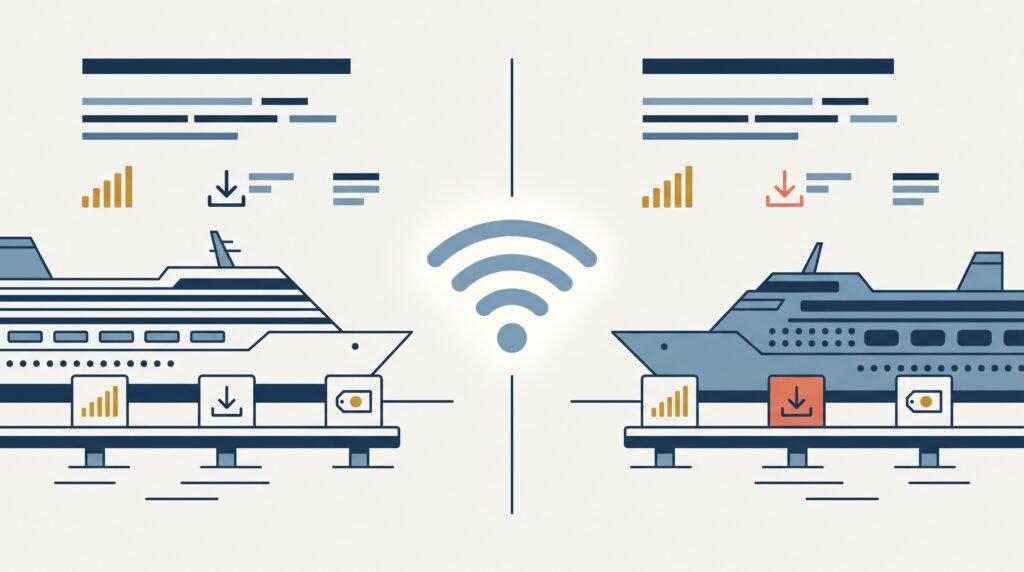
Genuinely, yes — and this is really the point of doing it this way rather than everyone buying their own. Roughly, for a two-week cruise: GigSky’s 3GB plan runs about £48, Maya’s unlimited around £118. Four separate eSIMs at either of those prices is £192 or £472. Two, shared out sensibly between the people who actually need to be independently reachable, roughly halves that — £96 or £236 — while the kids get data whenever they’re near a parent, which for most families covers the bulk of onboard time anyway. Worth treating these as ballpark figures rather than gospel, since both providers run pricing promotions fairly often.
When Sharing Doesn’t Work
Our kids aren’t glued to their phones — genuinely fine going a few hours without WiFi, which is exactly why this setup suited us. If you’ve got a teenager who wants to be online constantly, hotspotting off someone else solves nothing: they’ll either be constantly hunting you down to get back in range, or draining your data bucket faster than you’d budgeted for on a capped plan. In that case, the honest advice is to just give them their own eSIM — see How Much Data Do You Actually Need? for sizing it properly — rather than trying to force the shared setup to work.
One We Haven’t Tried Yet: Matching the Plan to the Person, Not Just Sharing One
Something we’re planning to try next time, based on how differently we actually use data day to day: my husband needs to be online a lot more than I do — work calls, emails, the lot — so next cruise the plan is for him to get Maya’s unlimited, and for me to just buy a smaller 3GB bucket on GigSky rather than matching his plan.
The idea is that when we’re apart, I’ve still got my own independent connection rather than needing to stay in hotspot range of him. But when we’re together, I’ll just hop onto his Maya hotspot instead of touching my own data at all — no reason to burn through a capped plan when an unlimited one is sitting right next to me. Haven’t actually tried it yet, so I’ll update this once we have — but on paper it means the heavier user gets the plan built for that, and the lighter user isn’t paying unlimited pricing for data they were never going to use up anyway.
Our Verdict
Sharing between the adults and letting kids piggyback off whoever’s closest works well, and it’s genuinely cheaper than everyone having their own. It works especially well on Maya, purely because the unlimited pricing removes the “who’s using the data” anxiety entirely. On GigSky it’s just as functional, but budget generously and expect to keep half an eye on the counter. If you’re still deciding between the two providers in the first place, GigSky vs Maya: Which Should You Choose? covers that head-to-head properly. Worth considering too: matching provider to how much each person actually uses, rather than giving everyone the same plan — more on that above.
Last updated August 2026. This post contains affiliate links for GigSky and Maya — I get a small commission if you buy through them, at no extra cost to you. More on how that works →
Royal Caribbean WiFi options · GigSky — full guide · Maya Mobile — full guide
Still deciding which eSIM?
Answer a few questions, get a personalised recommendation in under a minute.