
Wondering how you’ll stay connected on your P&O cruise? Here’s what you actually need to know about your WiFi and internet options — no jargon required.
The good news first: P&O Cruises WiFi works well these days. Every ship in the fleet uses a satellite system called Starlink, a big step up from the slow, laggy connections cruise ships used to be known for. (If you’re curious why: older cruise ship WiFi bounced its signal off satellites parked much further out in space, causing a noticeable lag every time a page loaded. Starlink’s satellites sit much closer to Earth, so that lag has mostly disappeared.) You don’t need to understand any of that to use it — what actually matters is which package to buy and what to expect, which is what the rest of this page covers.
This page contains affiliate links for GigSky and Maya.
Table of Contents
Ships Aren’t All Equal
Every P&O ship runs the same satellite system, but they don’t all cope with busy periods the same way. Arvia and Iona — the two newest and biggest ships — were built with more modern WiFi equipment that handles lots of people being online at once better, like on a sunny sea day or straight after dinner. Think of it like a wider road versus a narrower one: same speed limit, less of a jam at rush hour. Aurora, Arcadia, Britannia, and Ventura have the identical satellite connection, but older internal wiring, so you’re more likely to notice things slow down at busy times. If that happens on one of the older ships, it’s not a fault with your package — it’s just the ship.
P&O Cruises WiFi Packages and What They Cost
P&O sells two tiers. Essential covers browsing, email, and text-based messaging apps like WhatsApp — no streaming, no video calls. Ultimate adds all of that: Netflix, FaceTime, Zoom, the lot.
| Essential | Ultimate | |
|---|---|---|
| Cost per day, bought onboard | £20 | £30 |
| Cost per day, pre-purchased | £14 | £20 |
| Streaming, video calls, VPN | No | Yes |
Pre-purchased for a 7-night cruise, that works out to roughly £98 for Essential and £140 for Ultimate, one device. Book at least 4 days before you sail and you’ll get a further 10–15% off either.
Covering more than one device. Add extra single-device plans to the same booking and each additional one gets a 10% discount. P&O also sells a dedicated 4-device Ultimate bundle, working out to roughly £7 per device per day — about £196 total for a family of four over 7 nights, all with full streaming.
Both tiers are already included if you book P&O’s all-inclusive drinks packages — Essential with Classic, Ultimate with Deluxe. And if you’re a Peninsular Club member, worth knowing upfront that the loyalty programme doesn’t currently include any WiFi discount at any of its six tiers.
What to Know Before You Buy
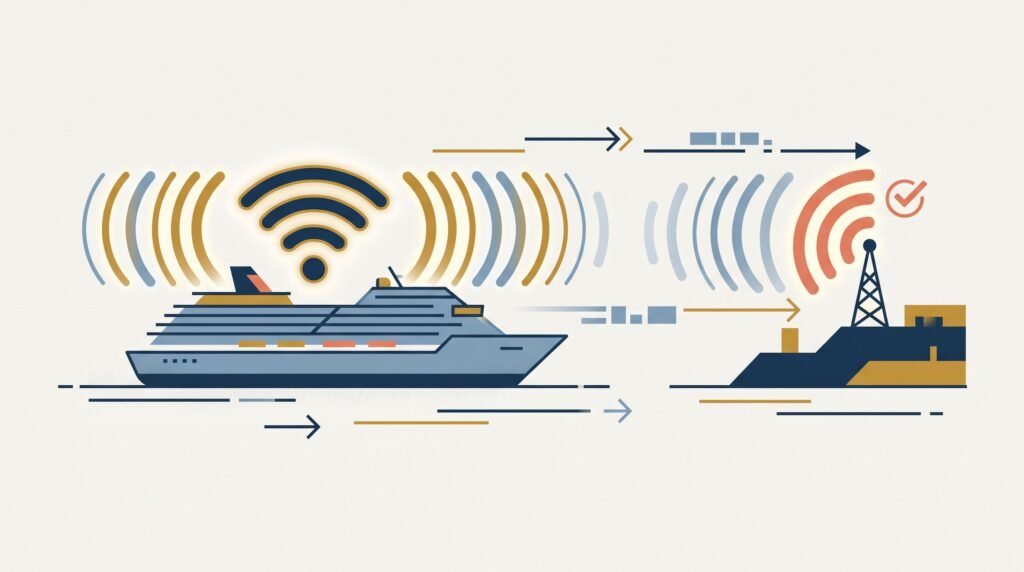
Hotspotting doesn’t work the way you’d expect. Normally your phone can share its own data connection with other devices as a hotspot. That only works when it’s using mobile data, though — once your phone is connected to P&O’s WiFi to get online, it’s already receiving its internet that way, and no phone (this isn’t a P&O-specific thing) can also broadcast that same connection back out as a hotspot at the same time. So if the plan was to connect your phone to the ship’s WiFi and then hotspot your laptop or someone else’s phone off it, that won’t work — you’d need one of the multi-device options above instead.
You can swap which device is connected, though. On a single-device plan, you can log out on one device and log back in on another — so if you and someone else in your cabin want to take turns being online, that’s straightforward, just not both at once.
The travel router hack — and what it actually involves. Some passengers bring a travel router (GL.iNet and similar) to get around the single-device limit: connect it to the ship’s WiFi, clone the MAC address (a kind of device ID) of an already-connected phone onto it, and it broadcasts its own private WiFi in the cabin for every device to use. There’s no sign P&O bans this outright the way Royal Caribbean now does — but it’s genuinely fiddly to set up, P&O’s own staff won’t help if it stops working mid-cruise, and you’re relying on it holding for the whole voyage. If you’ve got more than one device to cover, the 4-device bundle above does the same job with none of the setup.
If you use a Continuous Glucose Monitor or similar medical device: you don’t need to buy a package at all — ask at Reception on day one about the free medical WiFi voucher.
What About When You’re Off the Ship
P&O’s own WiFi covers you well at sea — that’s not really in question anymore. What’s worth thinking through separately is what happens once you dock. You’ve got a few realistic options: use your own phone’s normal network (many UK providers now offer a flat daily roaming add-on for popular destinations, often just a couple of pounds a day, though this varies a lot by provider and where you’re sailing — worth checking before you go), hunt out free WiFi in port cafés and terminals, or use a dedicated maritime eSIM.
An eSIM like GigSky’s cruise plans or Maya isn’t really the obvious first stop for most people — your own phone’s daily roaming is usually simpler if your provider covers where you’re going. Where an eSIM earns its place is if you’d rather have one connection that just keeps working at sea and in port without switching over each time, or if your normal roaming doesn’t cover a particular destination well. It also solves the hotspot restriction mentioned above, since eSIM data runs over your phone’s normal mobile signal rather than through the ship’s WiFi, so Personal Hotspot works as normal. (The mechanism behind this works a bit differently to how it works at home — How Does eSIM Actually Work at Sea? covers it.)
Ship WiFi vs. an eSIM: The Actual Cost
For a typical 7-night cruise, one device, figures rounded and approximate — both P&O and the eSIM providers run regular promotions, so treat this as the shape of the gap rather than an exact quote:
| ~7 nights | Streaming? | Works in port? | |
|---|---|---|---|
| P&O Essential | ~£98 | No | No |
| P&O Ultimate | ~£140 | Yes | No |
| GigSky (1GB bucket) | ~£25 | No — light use only | Yes |
| Maya (unlimited) | ~£80 | Yes | Yes |
If you want the fuller head-to-head between the two eSIM providers, GigSky vs Maya: Which Should You Choose? covers that properly.
Which Type of Traveller Are You?

Travelling as a family who all want to be connected. The 4-device Ultimate bundle is the better-value option if everyone’s happy staying connected while onboard. For port days, most families are fine just using their own phones’ normal roaming rather than sorting anything extra — check what your provider charges for the destinations you’re visiting before you go.
Mostly messaging, email, the odd bit of browsing. Essential covers this at sea, and pre-booking gets you the discount. In port, your own phone’s normal roaming is usually the simplest option too. How Much Data Do You Actually Need? can help you judge how much you’d realistically get through either way.
Want to work, video call, or stream properly. Ultimate covers that on the ship. If you’d rather have one connection that works the same way at sea and in port without switching over each time you dock, that’s where an eSIM like Maya earns its keep.
Using a Continuous Glucose Monitor or similar device. Skip the packages entirely — the free medical WiFi voucher from Reception covers this.
Which of these fits really comes down to two things: whether staying connected in port matters to you, and how many devices you’re covering. There’s no single right answer here — just whichever of the above actually matches how you’ll use your phone on this trip.
Last updated August 2026. This page contains affiliate links for GigSky and Maya — I get a small commission if you buy through them, at no extra cost to you. More on how that works →
Not sailed this one — yet
I’m about to spend two weeks with P&O covering Europe, the transatlantic crossing and the Caribbean, and I’ll report back on what the eSIM actually managed mid-ocean. Until then, here’s how I’d pick one.
Still deciding which eSIM?
Answer a few questions, get a personalised recommendation in under a minute.