
Wondering how you’ll stay connected on your MSC cruise? Here’s what you actually need to know about your WiFi and internet options — no jargon required.
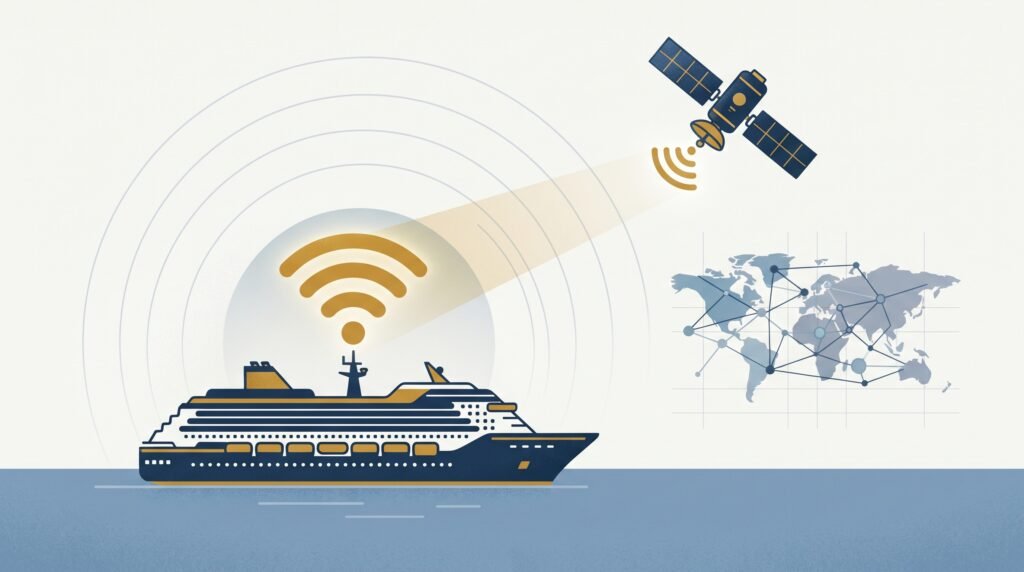
MSC Cruises WiFi runs on Starlink across virtually the whole fleet these days — the same satellite system behind the recent jump in cruise ship WiFi quality generally. (Older cruise ship WiFi bounced its signal off satellites parked much further out in space, which is what caused that familiar lag every time a page tried to load. Starlink’s satellites sit much closer to Earth, so most of that’s gone.) None of that’s essential to know — what matters is which package to buy and what to expect, which is what the rest of this page covers.
This page contains affiliate links for GigSky and Maya.
Table of Contents
The Fleet: Not Every Ship Is Wired the Same Way
Every MSC ship with Starlink runs the same underlying connection, but not every ship distributes it around the vessel the same way. The newest classes — World Class ships like MSC World Europa and MSC World America, and the Seaside-Evo ships — were built with WiFi access points fitted inside individual cabins, so the signal doesn’t have to fight its way through a steel door to reach you. Older classes, including the Musica and Lirica ships, rely more on corridor-mounted access points instead, so the signal has to pass through your cabin door and walls to get to your phone. It still works, but you’re more likely to notice it dip inside the cabin, especially compared to how strong it feels out on deck or in the main public areas. Connections also tend to get busier during early evening — roughly 4:30pm to 7:30pm — and on long sea days, when more people are online at once; that’s demand, not a fault with your package.
MSC Cruises WiFi Packages and What They Cost
MSC sells two tiers. Browse covers browsing, email, and text-based messaging apps like WhatsApp — no streaming, no video calls. Browse & Stream adds all of that: Netflix, FaceTime, Zoom, the lot. Both are unlimited-data packages — the tiers differ in what’s allowed through, not how much you get.
One thing worth knowing upfront: MSC packages cover the whole cruise, not single days — there’s no day-pass option. Figures below are for a typical week-long Mediterranean sailing and approximate:
| Browse | Browse & Stream | |
|---|---|---|
| Cost per day, bought onboard | £15 | £18 |
| Cost per day, pre-purchased | £12 | £15 |
Pre-purchased for a 7-night cruise, that’s about £84 for Browse and £105 for Browse & Stream, one device.
Covering more than one device. MSC discounts the price as you add devices to the same booking, rather than charging full price per device — a 4-device Browse & Stream bundle works out to about £48 a day in total, roughly £336 for 7 nights, against £105 for just one device on its own. Decide upfront how many devices you actually need, though — MSC locks each package to one device for the whole cruise (more on that below), so there’s no adding devices partway through if you undersell it.
Loyalty and Status Discounts
MSC Voyagers Club members get a straightforward discount ladder: Classic and Silver members get 5% off any package; Gold members get 5–10% off depending on current promotions; Diamond members get a flat 10% off; and Blue Diamond members, the top tier, get a full-voyage Browse package free.
If you already hold elite status with another cruise line or a major hotel loyalty programme, MSC’s Status Match scheme can fast-track you into Gold or Diamond tier before you’ve even sailed with them — worth doing before you buy, since it unlocks the discount from your very first MSC cruise.
What to Know Before You Buy
Your device is locked in for the whole cruise. This is the one to plan around: once you activate a package on a device, that slot stays locked to that specific phone or laptop for the entire voyage. You can’t log out and hand the connection to someone else partway through — changing it requires MSC’s onboard IT staff, and they’ll usually only do it if the original device has genuinely broken. If more than one of you might need to be online, decide that before you activate anything, and buy the multi-device bundle upfront rather than assuming you can add to it later.
Hotspotting doesn’t really work either. iPhones can’t stay connected to MSC’s WiFi and broadcast their own hotspot at the same time. Some Android phones can technically do both, but MSC’s network is quick to spot and block it, so it’s not something to rely on.
The travel router hack — and what it actually involves. Some passengers bring a travel router (GL.iNet and similar) to get around the single-device limit: connect it to the ship’s WiFi, clone the MAC address (a kind of device ID) of an already-connected phone onto it, and it broadcasts its own private WiFi in the cabin for every device to use. There’s no sign MSC bans this outright the way Royal Caribbean does — but it’s genuinely fiddly to set up, MSC’s own Digital Experts (the onboard tech support team) won’t help if it stops working mid-cruise, and you’re relying on it holding for the whole voyage. If you’ve got more than one device to cover, the multi-device bundle above does the same job with none of the setup.
Ocean Cay MSC Marine Reserve
If your itinerary includes Ocean Cay, MSC’s private island in the Bahamas, your package still works there, but it takes one extra step: you’ll need to manually reconnect to the island’s own WiFi network and log back in at mscwifi.com using your cabin number and birth date, the same as you did on the ship. Once you’re back in, your existing package carries over at no extra cost — you’re just re-authenticating on a different network, not buying anything new.
What About When You’re Off the Ship
MSC’s WiFi covers you well at sea — that’s not really in question anymore. What’s worth thinking through separately is what happens once you dock, Ocean Cay aside. Realistic options here: fall back on your own phone’s normal network (several UK providers now offer a flat daily roaming add-on for popular cruise destinations, sometimes just a couple of pounds a day — check before you go, since coverage and pricing both vary by provider and itinerary), find free WiFi in port cafés and terminals, or use a dedicated maritime eSIM.
For most people, an eSIM like GigSky’s cruise plans or Maya isn’t the obvious first move — your own phone’s daily roaming usually does the job if your provider covers the ports you’re visiting. Where an eSIM earns its keep is if you’d rather have one connection that works the same way at sea and in port without switching over each time, or your normal roaming doesn’t reach a particular destination well. It also gets around the hotspot restriction mentioned above, since eSIM data runs over your phone’s own mobile signal rather than through the ship’s WiFi, so Personal Hotspot works as normal. (The mechanism works a bit differently to how it does at home — How Does eSIM Actually Work at Sea? covers it.)
Ship WiFi vs. an eSIM: The Actual Cost
For a typical 7-night Mediterranean cruise, one device, figures rounded and approximate — MSC pricing varies by itinerary and both eSIM providers run regular promotions, so treat this as the shape of the gap rather than an exact quote:
| 7 nights | Streaming? | Works in port? | |
|---|---|---|---|
| MSC Browse | £84 | No | No (except Ocean Cay) |
| MSC Browse & Stream | £105 | Yes | No (except Ocean Cay) |
| GigSky (1GB bucket) | £25 | No — light use only | Yes |
| Maya (unlimited) | £80 | Yes | Yes |
If you want the fuller head-to-head between the two eSIM providers, GigSky vs Maya: Which Should You Choose? covers that properly.
Curious what GigSky is actually like day-to-day? I tested it for two weeks on the MSC Virtuosa — read how it went.
Which Type of Traveller Are You?
Travelling as a family who all want to be connected. The multi-device Browse & Stream bundle is the better-value option, and it’s worth committing to the right number of devices upfront, since you can’t easily add more once you’re underway. For port days, most families are fine just using their own phones’ normal roaming rather than sorting anything extra.
Mostly messaging, email, the odd bit of browsing. Browse covers this at sea, and it’s the cheaper of the two tiers. How Much Data Do You Actually Need? can help you judge how much you’d realistically get through either way.
Want to work, video call, or stream properly. Browse & Stream covers that on the ship. If you’d rather have one connection that works the same way at sea and in port without switching over each time you dock, that’s where an eSIM like Maya earns its keep.
Already hold Voyagers Club status, or elite status elsewhere. Check your discount before you buy — Diamond and Blue Diamond members in particular get a meaningful saving or a free package outright, and the Status Match scheme can get you there even on your first MSC cruise.
Which of these fits really comes down to two things: how many devices you’re covering, and whether you’re already sitting on a loyalty discount you haven’t checked. There’s no single right answer here — just whichever of the above actually matches how you’ll use your phone on this trip.
Last updated August 2026. This page contains affiliate links for GigSky and Maya — I get a small commission if you buy through them, at no extra cost to you. More on how that works →
I’ve actually sailed this one
I took a GigSky eSIM on MSC Virtuosa instead of buying the ship’s package. What worked, what didn’t, and what I’d do differently.
Still deciding which eSIM?
Answer a few questions, get a personalised recommendation in under a minute.